


Google Business Profile Management in Kottayam: Rank Higher on Google Maps
A step-by-step guide to optimising and managing your Google Business Profile so more local customers call, visit and buy.
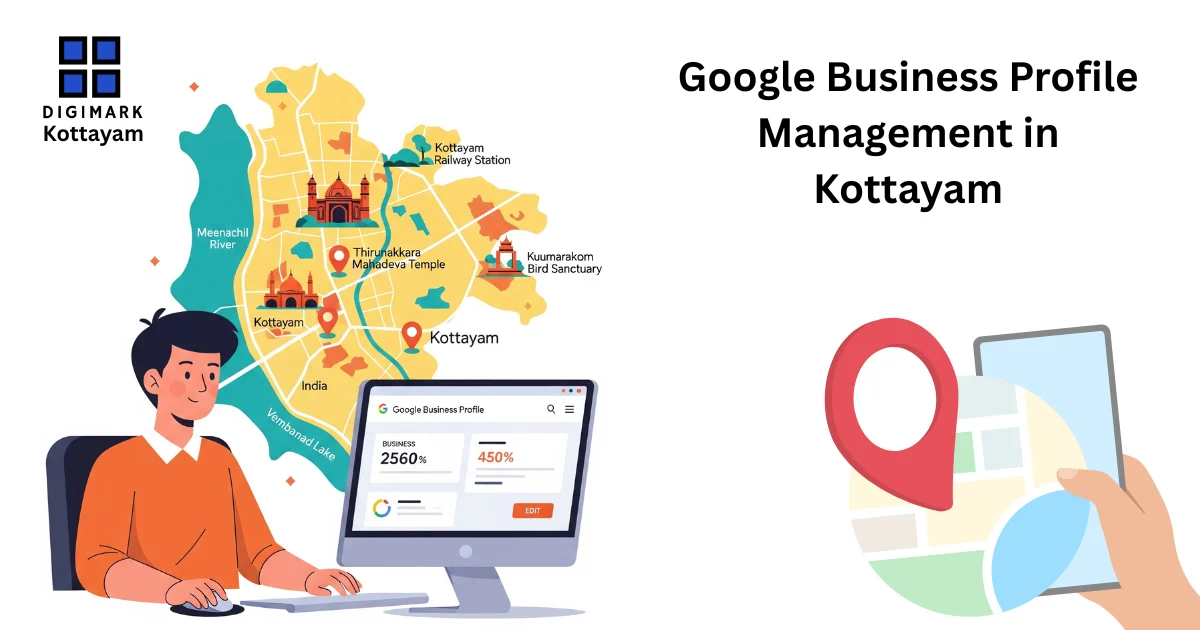
Your Google Business Profile Kottayam listing may be the most valuable free marketing asset your business has. When people search “restaurant near me”, “best eye hospital in Kottayam” or “mobile shop Ettumanoor”, Google shows a map with three highlighted businesses before any website. Those businesses receive a large share of calls, direction requests and website visits. Professional Google Business Profile Management in Kottayam helps your business earn one of those spots and turn searchers into customers.
This guide explains how Google ranks local businesses, how to optimise every part of your profile, how to earn and manage reviews, how to use posts and photos, how to avoid suspensions and how to measure results.
Key takeaways
- Google ranks local listings by relevance, distance and prominence.
- The right primary category is one of the most important choices.
- Fresh photos, weekly posts and genuine reviews keep your profile strong.
- Consistent business information across the web builds trust with Google.
- Your website and profile should support each other.
Contents
Why Your Google Business Profile Kottayam Listing Matters
For local businesses, the Google Business Profile is often more visible than the website. It shows your name, rating, photos, hours, phone number, directions and reviews right on the search results page. Many customers decide whether to call or visit without ever opening a website.
Local visibility
Appear in Google Maps and the Local Pack for nearby searches.
Direct actions
Customers call, message or get directions in one tap.
Social proof
Reviews and ratings influence buying decisions.
Free traffic
No cost per click for visitors from your profile.
How Google Ranks Local Businesses
Google explains that local results are based mainly on three factors in its guide to improving your local ranking:
- Relevance: how well your profile matches the search.
- Distance: how close your business is to the searcher or searched location.
- Prominence: how well known and trusted your business is, based on reviews, links, mentions and overall online presence.
You cannot change your distance, but you can greatly improve relevance and prominence through careful Google Business Profile management.
Google Business Profile Optimisation Checklist
Use your real business name
Exactly as on your signage, without extra keywords, to avoid suspension.
Choose the best primary category
The most specific category that describes your main service; add relevant secondary categories.
Complete every field
Address or service area, phone, website, hours, holiday hours, attributes and opening date.
Write a helpful description
Explain what you offer, who you serve and what makes you different, naturally and without stuffing keywords.
Add services and products
List each service or product with short descriptions and prices where possible.
Upload quality photos
Logo, cover, exterior, interior, team and work photos, updated regularly.
Enable messaging and bookings
Make it easy for customers to contact or book directly from Google.
Earning and Managing Google Reviews
Reviews are one of the strongest signals for both Google and customers. Businesses with many recent, detailed and positive reviews tend to rank higher and convert more searchers.
How to get more genuine reviews
- Ask customers right after a positive experience.
- Share a short review link by WhatsApp or SMS.
- Display a QR code at your counter, on invoices and packaging.
- Train staff to mention reviews politely.
- Never buy reviews or offer rewards in exchange for them.
How to reply to reviews
Thank happy customers by name and mention what they enjoyed. For negative reviews, stay calm, acknowledge the concern, apologise where appropriate and offer to resolve the issue offline. Thoughtful replies show future customers that you care.
Using Posts, Photos and Q&A
Google Posts let you share offers, events, updates and news directly on your profile. Weekly posts keep your listing fresh and give customers more reasons to choose you. Each post can include an image and a button such as “Call now”, “Book” or “Learn more”.
Photos matter just as much. Customers want to see your premises, products and team before they visit. Upload new photos regularly, especially after renovations, new collections or events.
The questions and answers section lets you address common queries publicly. Add helpful questions yourself and answer them clearly, so customers find information instantly.
How to Avoid Profile Suspension
Suspensions can remove your business from Maps without warning. The most common causes are adding keywords to your business name, using a virtual office or PO box address, creating duplicate listings, and making frequent changes to key details. Follow Google’s guidelines carefully and keep proof such as signage photos, business registration and utility bills in case verification is requested.
NAP Consistency and Local Citations
NAP stands for name, address and phone number. Google checks whether your business information is consistent across directories, social profiles and your website. Mismatched details can reduce trust and rankings. Make sure your NAP is identical on your website, Facebook, Instagram, JustDial, IndiaMART, Sulekha and industry directories.
Measuring Google Business Profile Performance
| Metric | What it tells you |
|---|---|
| Profile views | How often customers see your listing |
| Search queries | Which searches lead to your profile |
| Calls | Direct phone enquiries from Google |
| Direction requests | People planning to visit |
| Website clicks | Visitors who want more information |
| Review growth | Momentum of customer feedback |
Adding tracking parameters to your website link helps measure visits from Maps in Google Analytics 4 as well.
Google Business Profile for Different Business Types
Shops and showrooms
Product listings, offers and photos of displays attract walk-in customers.
Clinics and hospitals
Accurate timings, departments, doctor information and reviews build patient trust.
Restaurants
Menus, food photos, reservation links and fresh reviews drive footfall.
Service-area businesses
Electricians, plumbers and caterers can show service areas instead of a public address.
Multiple branches
Each location needs its own verified profile, local photos and reviews.
Why Choose Professional Google Business Profile Management
Managing a profile well takes regular time and attention. Our Google Business Management service handles optimisation, weekly posts, review responses, Q&A, photo updates, spam monitoring and monthly reporting, combined with local SEO for stronger rankings.
A Weekly Google Business Profile Routine
Consistency is what keeps a profile strong. Here is a simple weekly routine that any business in Kottayam can follow, or that a management partner can handle for you.
- Monday: Publish a Google Post with an offer, update or helpful tip.
- Tuesday: Upload two or three new photos of your premises, products or team.
- Wednesday: Reply to all new reviews and answer any new questions.
- Thursday: Send review requests to recent happy customers.
- Friday: Check for suggested edits, verify hours and review weekly performance.
This routine takes less than an hour a week but sends strong signals to Google and customers that your business is active, responsive and trustworthy.

Common Google Business Profile Mistakes in Kottayam
- Choosing a broad category like “Shop” instead of a specific one such as “Textile store” or “Dental clinic”.
- Leaving the business description, services or products sections empty.
- Using different phone numbers on the profile, website and directories.
- Not updating holiday hours during Onam, Christmas or local festivals.
- Ignoring reviews for months or replying with copy-paste messages.
- Uploading only a logo and no real photos.
- Adding city names or service keywords to the business name.
- Letting duplicate listings remain active.
Fixing these issues is often the fastest way to improve local visibility and the number of calls you receive from Google Maps.
How Your Website Supports Your Google Business Profile
Google looks at your website to confirm and expand on the information in your profile. A website with clear service pages, your city and area mentioned naturally, embedded Google Maps, consistent contact details and local business schema strengthens your prominence. Linking your profile to the most relevant page, rather than always the home page, can also improve conversions.
Our website design team builds sites with local SEO foundations that work hand in hand with your Google Business Profile.
Google Business Profile and AI Search
AI-powered search experiences increasingly use local business data from Google Business Profile, reviews and websites to answer questions like “Which clinic in Kottayam is open on Sundays?” or “Best bakery near Ettumanoor”. Complete, accurate and well-reviewed profiles are more likely to be referenced in these answers. Keeping your hours, services, attributes and photos up to date is now even more important.
Step-by-Step: Setting Up a New Google Business Profile
If your business does not yet have a profile, setting one up correctly from the start saves problems later.
- Search for your business on Google Maps to check whether a listing already exists.
- If it exists, request ownership; if not, create a new profile at business.google.com.
- Enter your exact business name, primary category and address or service area.
- Add your phone number and website.
- Complete verification using the method Google offers, such as a video, phone or postcard.
- Once verified, complete every remaining section: hours, description, services, products, attributes and photos.
- Publish your first post and start requesting reviews from recent customers.
Verification can take anywhere from a few minutes to several days. During this time, avoid making repeated changes to your business name, address or category.
Handling Multiple Locations and Branches
Businesses with branches across Kottayam district, such as in Kottayam town, Pala, Changanassery or Ettumanoor, should create a separate verified profile for each physical location. Each profile needs its own local phone number where possible, location-specific photos, accurate hours and its own reviews. Matching location pages on your website, each linked from the right profile, help Google understand and rank every branch.
Consistent branding across all profiles builds recognition, while local details make each branch relevant to nearby customers.
What Results to Expect From Google Business Profile Management
Some improvements appear quickly. Fixing categories, completing missing information and adding photos can increase views and actions within a few weeks. Stronger, lasting ranking improvements usually build over two to four months as reviews grow, posts accumulate and your overall online prominence increases.
Results depend on your competition, location and starting point, but businesses that manage their Google Business Profile consistently almost always see more calls, more direction requests and more website visits from local customers in Kottayam.
Turning Profile Views Into Customers
Visibility is only the first step. To convert views into customers, make sure your profile answers the questions people ask before they decide: Are you open now? Where exactly are you? What do you offer and at what price? What do other customers say? How quickly can I reach you?
Clear photos, accurate hours, a detailed services list, recent reviews with replies and an active messaging option answer these questions instantly. When customers find everything they need in seconds, they are far more likely to call, visit or book with you instead of scrolling to the next listing.
Google Business Profile Attributes and Special Features
Attributes are small labels that describe features customers care about, such as wheelchair accessibility, free Wi-Fi, outdoor seating, women-owned business, online appointments or onsite services. Adding every relevant attribute helps your profile match more specific searches and answers customer questions before they ask.
Depending on your category, you may also access special features: menus and order links for restaurants, booking buttons for salons and clinics, product catalogues for retailers, and service menus for professional businesses. Using these features makes your listing more useful and more competitive in local results.
Protecting Your Profile From Unwanted Edits
Google allows the public to suggest edits to business listings. Most suggestions are harmless, but some can be incorrect, and competitors occasionally try to change details. Check your profile regularly for pending edits and reject anything inaccurate. Keeping your information complete and up to date makes it less likely that Google will accept incorrect suggestions.
It is also wise to add trusted team members as managers, rather than sharing the owner login, so access is secure and easy to control as your team changes.
Bringing It All Together
A strong Google Business Profile is built through accurate information, regular activity, genuine reviews and a supporting website. None of these steps is complicated on its own, but together, and done consistently, they can transform how many local customers find and choose your business.
Whether you manage it yourself or work with a specialist, treat your profile as a living storefront that deserves the same care as your physical shop. Customers in Kottayam are searching every day; make sure the first thing they see is a complete, active and trustworthy listing for your business.
If you would like expert help, Digimark Kottayam offers a free profile audit with clear, practical recommendations for improving your local rankings.
Quick Recap
Claim and verify your profile, choose the most accurate categories, complete every section, add real photos, post weekly, earn and reply to genuine reviews, keep your business information consistent across the web and track your results every month. Follow these steps steadily and your Google Business Profile will become one of the most reliable sources of new customers for your business in Kottayam.
Small, regular improvements add up. Set a weekly reminder to review your profile, and within a few months you will see the difference in calls, visits and reviews from customers across Kottayam and nearby towns.
Your profile is often the first impression customers have of your business, so keep it accurate, active and welcoming every single week of the year.
Frequently Asked Questions
What is Google Business Profile management?
It is the ongoing optimisation and upkeep of your Google Maps listing: categories, information, photos, posts, reviews, questions and performance tracking, so your business ranks higher and attracts more customers.
How can my business rank in the Google Maps top three in Kottayam?
Complete every section accurately, choose the right categories, add fresh photos and posts, earn genuine reviews, keep your name, address and phone consistent online and support it with a strong website.
Is Google Business Profile free?
Yes, the listing is free from Google. Management services cover the time and expertise needed to optimise and maintain it professionally.
How often should I post on Google Business Profile?
Posting at least once a week keeps your profile active and gives customers fresh reasons to choose you.
Can negative reviews be removed?
Genuine negative reviews cannot be removed just because they are negative. Reviews that break Google’s policies can be reported. Calm, professional replies reduce the impact of criticism.
Why was my profile suspended?
Common reasons include keywords in the business name, virtual or incorrect addresses and duplicate listings. Fixing the issue and submitting proof usually supports reinstatement.
Get More Calls From Google Maps
Request a free Google Business Profile audit for your Kottayam business.